
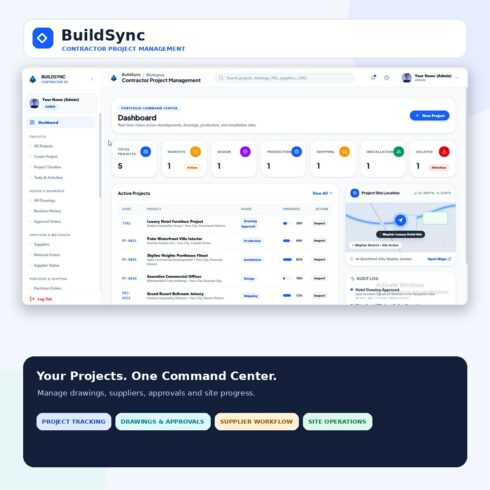
BuildSync – Contractor Project Management Dashboard | React & TypeScript Template
$14


| Created by | Kiaan_technology |
|---|---|
| File type | ZIP |
| File size | 7.54 MB |
| Date of Creation | October 28 2026 |
| Color | black brown orange yellow |
| Rating | 5 (7) |
| Category |
Demo link – https://maintainox.kiaantechnology.online/
MaintainX-OS is an enterprise-style Manufacturing Execution System (MES) and Computerized Maintenance Management System (CMMS) frontend designed for continuous manufacturing, discrete production, packaging, and bottling operations.
The platform brings production monitoring, preventive maintenance, quality assurance, warehouse traceability, production planning, and executive reporting together in one responsive interface. Its modular architecture and role-aware navigation make it suitable for demonstrating complex manufacturing workflows.
Key Features
Manufacturing execution and work-center monitoring interfaces
Overall Equipment Effectiveness (OEE) dashboards
Electronic batch record workflow interfaces
Maintenance work orders and preventive maintenance scheduling
Asset health and MTBF/MTTR metric displays
Quality assurance, CCP inspection, and batch hold workflows
HACCP-oriented quality interfaces
Warehouse inventory and lot traceability
Production planning and capacity scheduling
AI operations assistant integration-ready interface
Executive multi-plant control tower
Master admin and multi-tenant management interfaces
Item master, BOM, routing, and changeover catalogs
Root cause analysis (RCA) and corrective action (CAPA) workflows
Role-based navigation and interactive role switcher
12 operational role perspectives
Responsive dark/light amber design system
Configurable mock-data simulation mode
API gateway configuration option
Vite production build and static hosting support
Included Operational Roles
Master Admin
System Administrator
Plant Manager
Maintenance Technician
Quality Specialist
Production Supervisor
Line Lead
Shop-Floor Operator
Warehouse / Logistics
Production Planner
CI Engineer
Executive
Technology Stack
React 19
Vite 8 with Rolldown engine
React Router DOM 7
Custom CSS design system and CSS variables
Lucide React
Canvas Confetti
Oxlint
React Context API
Requirements
Node.js 18 or higher; Node.js 20+ recommended
npm 9 or higher, pnpm, or yarn
A modern web browser
Installation
Extract the project package.
Open the project directory in a terminal.
Run npm install.
Copy .env.example to .env or .env.local.
Configure the environment variables as required.
Run npm run dev.
Open http://localhost:5173 in your browser.
Demo Access
The project documentation provides demo login credentials and a quick-login selector for the included operational roles.
Login URL: /login
Email: [email protected]
Password: MaintainX@2026
API Integration
The frontend supports configurable API gateway settings through VITE_API_BASE_URL. When the API base URL is empty, the application can run in client-side simulation mode using the built-in reactive store.
Deployment
Build the production bundle using npm run build. The generated dist directory can be deployed to supported static hosting platforms, including Netlify, Vercel, Cloudflare Pages, or appropriately configured web servers.
Important Notes
This package is documented as a frontend platform with a built-in simulation mode and backend integration configuration. Verify live IoT telemetry, predictive AI features, authentication, persistent data storage, and regulatory compliance against the actual implementation before presenting them as production-ready capabilities. A UI or workflow alone does not establish compliance with 21 CFR Part 11 or other manufacturing regulations.
License
The documentation specifies a Commercial Enterprise License. Review the included license terms before commercial use, client delivery, or redistribution.