
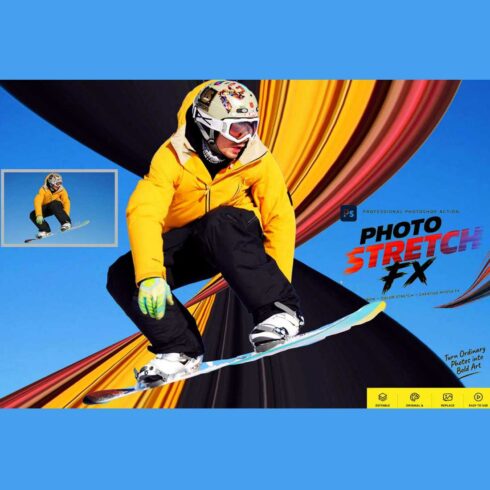
Photo Stretch FX — Photoshop Action
$9


| Created by | Studioretouch |
|---|---|
| File type | ATN |
| File size | 7.70 KB |
| Date of Creation | October 11 2026 |
| Color | blue green orange |
| Rating | 5 (9) |
| Category |
Tritone Oil Painting Photoshop Action
Transform your photos into expressive oil painting artwork with the **Tritone Oil Painting Photoshop Action**. Designed for photographers, graphic designers, and digital artists, this creative Photoshop effect combines painterly strokes, rich three-tone color grading, and a subtle canvas-inspired finish to give your images a distinctive fine-art look.
Create captivating artistic portraits with deep shadows, warm midtones, and luminous highlights. The carefully balanced tritone palette adds depth, atmosphere, and visual character while the oil painting effect gives your photographs a more traditional painted appearance.
**KEY FEATURES**
– **Oil Painting Effect:** Transform ordinary photographs into artistic, painterly compositions.
– **Tritone Color Grading:** Create a distinctive visual style using complementary shadow, midtone, and highlight colors.
– **Painterly Details:** Enhance your images with expressive, oil-paint-inspired surface details.
– **Canvas-Inspired Finish:** Add subtle texture for a refined fine-art appearance.
– **Editable Layers:** Fine-tune the effect intensity and color treatment using the included layer structure, where supported by the workflow.
– **Creative Versatility:** Suitable for portraits, fashion photography, character artwork, creative posters, and digital art projects.
– **No Custom Brushes Required:** Create the effect without installing additional brush presets.
– **No Camera Raw Filter Required:** The workflow does not depend on Camera Raw.
**PERFECT FOR**
Portrait photographers, fashion designers, digital artists, creative professionals, photo editors, artistic posters, social media graphics, and fine-art photo compositions.
**HOW TO USE**
Open your photograph in a compatible version of Adobe Photoshop, run the Action, and customize the resulting layers and color treatment to suit your image.
Most important instruction:
First open an image in Photoshop. Now you need resize your image. For resize image select crop tools and go top menu
bar you see W x H x Reso three blank boxes. Write W 3000px, H 2000px, Resolution 72. Then press enter button.
This action has been tested and working on Photoshop CC2022 English Version.
Software supported version: CC,CC2014,CC2015,CC2015.5,CC2016,CC2017,CC2018,CC2019,CC2020,CC2021,CCC2022+ English Version.
Please watch video guide line here:https://youtu.be/tkfbWXnK9Mw
File Includes:
– ATN File included (Photoshop Action File)
– Use Oil Filter
– Help File
– Video guide link in the help file
– High quality result.
– Easy Customizable
– Organize layers
– Easy Install
– Easy to Use
– No photoshop skill needed
If you need any cooperation using the file please feel free to contact me:
[email protected]
“The model images and photographs are for presentation purposes and not included for sale”
oil painting photoshop action, oil painting effect, photoshop action, photo to painting, digital oil painting, tritone oil painting, oil paint filter effect, painterly photo effect, oil painting photo effect, artistic photoshop action, painterly portrait, oil painted portrait, tritone color grading, three tone effect, fine art photo effect, painting effect photoshop, artistic portrait effect, canvas texture effect, portrait photo effect, creative photo manipulation, digital painting effect, fashion portrait effect, artistic photo editing, professional photoshop action, fine art portrait, creative photo effect
#OilPaintingEffect, #PhotoshopAction, #TritoneOilPainting, #DigitalOilPainting, #PhotoToPainting, #PainterlyEffect, #TritoneEffect, #OilPaintEffect, #ArtisticPortrait, #FineArtPhotography, #DigitalArt, #PhotoManipulation, #PhotoshopEffects, #CreativeDesign, #PortraitEffect