
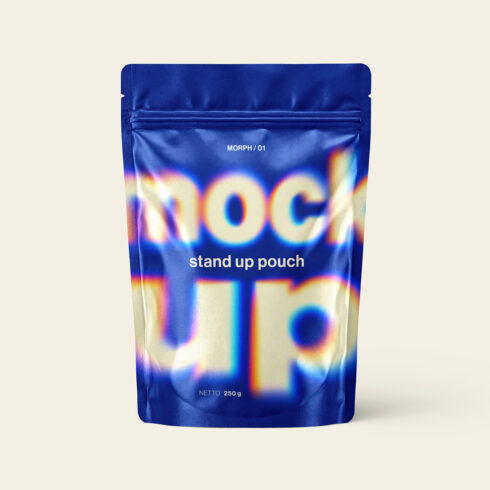
Stand Up Pouch Mockup
$9


| Created by | derysy |
|---|---|
| File type | PSD |
| File size | 28.86 MB |
| Date of Creation | June 14 2026 |
| Color | blue gray pink purple white |
| Rating | 5 (11) |
| Category |
Elevate your streetwear brand presentation with this high-quality, ultra-realistic Oversized Black T-Shirt Mockup. Designed specifically for apparel designers, merch creators, and clothing brands looking to showcase their latest artwork, typography, or illustrations in a professional, ready-to-publish format.
This premium PSD mockup captures the relaxed, heavy-cotton drape that defines modern streetwear aesthetics. The file is fully editable and incredibly easy to use—saving you hours of production time. Simply double-click the Smart Object layer, drop in your artwork, and your catalog-ready image is done.
Key Features:
Smart Object Integration: Update the front artwork in seconds. Just drag, drop, and save.
High-Resolution Quality: Crisp, detailed rendering that is perfect for e-commerce stores, social media feeds, and design portfolios.
Photorealistic Details: Features natural fabric folds, textures, and professional studio lighting to make your digital designs look like authentic, printed garments.
Highly Organized Layers: Clean, well-named, and color-coded layers for a smooth and hassle-free editing experience.
Versatile Look: The classic black fabric and modern oversized fit act as the perfect blank canvas for any design style—from minimalist typography to complex cyberpunk illustrations.
How to Use:
Open the PSD file in Adobe Photoshop CS6.
Locate and double-click on the Smart Object layer on Folder ARTWORK (usually named “EDIT HERE”).
Paste or place your transparent PNG/design into the new document window.
Save the Smart Object window (Ctrl/Cmd + S) and close it.
Your design is now flawlessly applied to the t-shirt with all shadows and folds intact!
Perfect for your next clothing drop or digital product listing. Grab this mockup and bring your apparel designs to life today!